Using Menus
Press a hotkey to bring up your menu, then use your mouse or keyboard to quickly execute an action. Here's how the basics work.
Display a Menu with a Hotkey
Menus open when you press a hotkey.
WARNING
No hotkeys are configured by default. Register one in Settings first. See Hotkeys for details.
Radial Menu and List Menu
Radiant offers two types of menus.
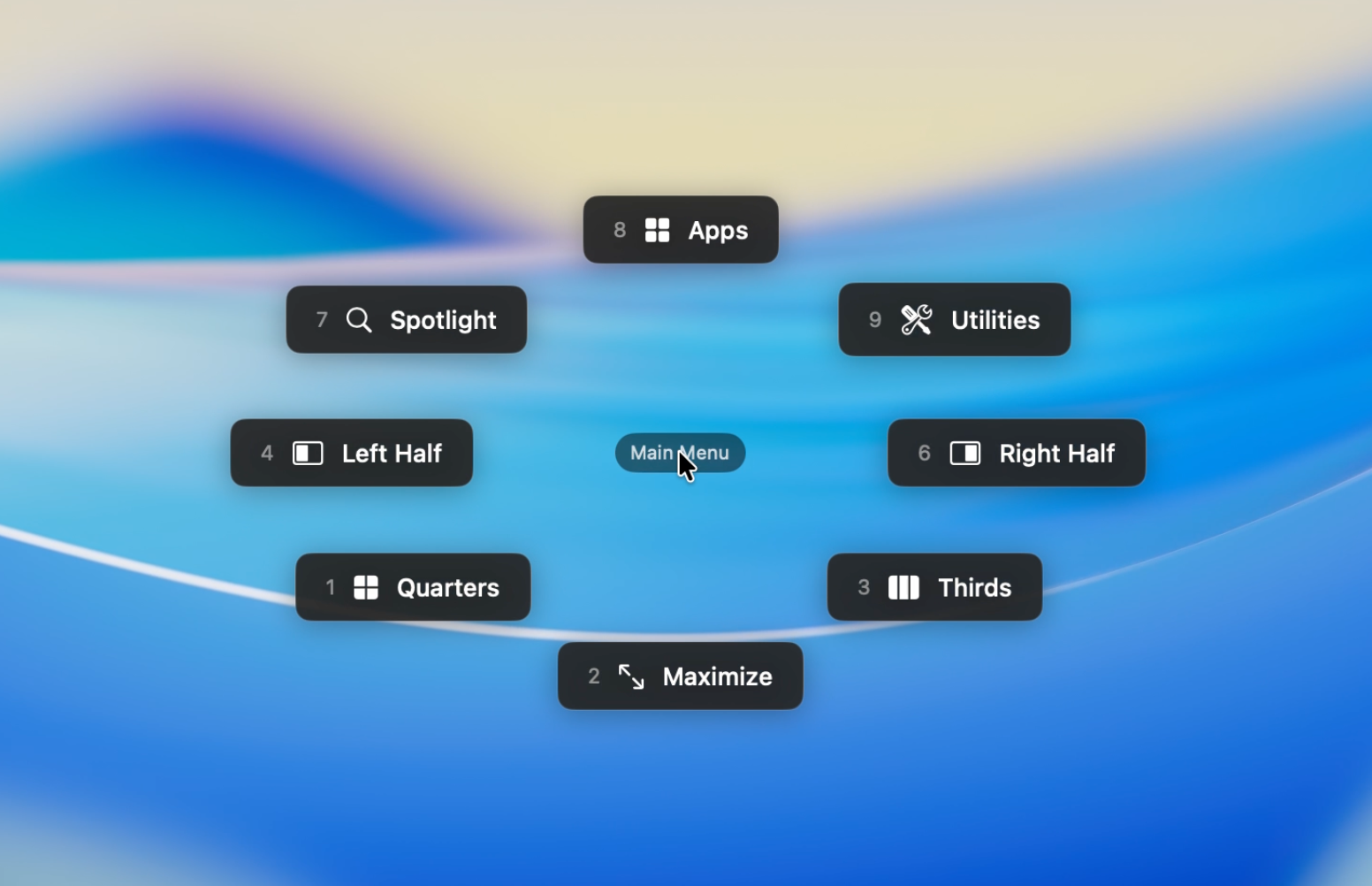
Radial Menu
A circular menu that places up to 8 items around the cursor. Select an item by moving the mouse in its direction -- it's fast and intuitive.
List Menu
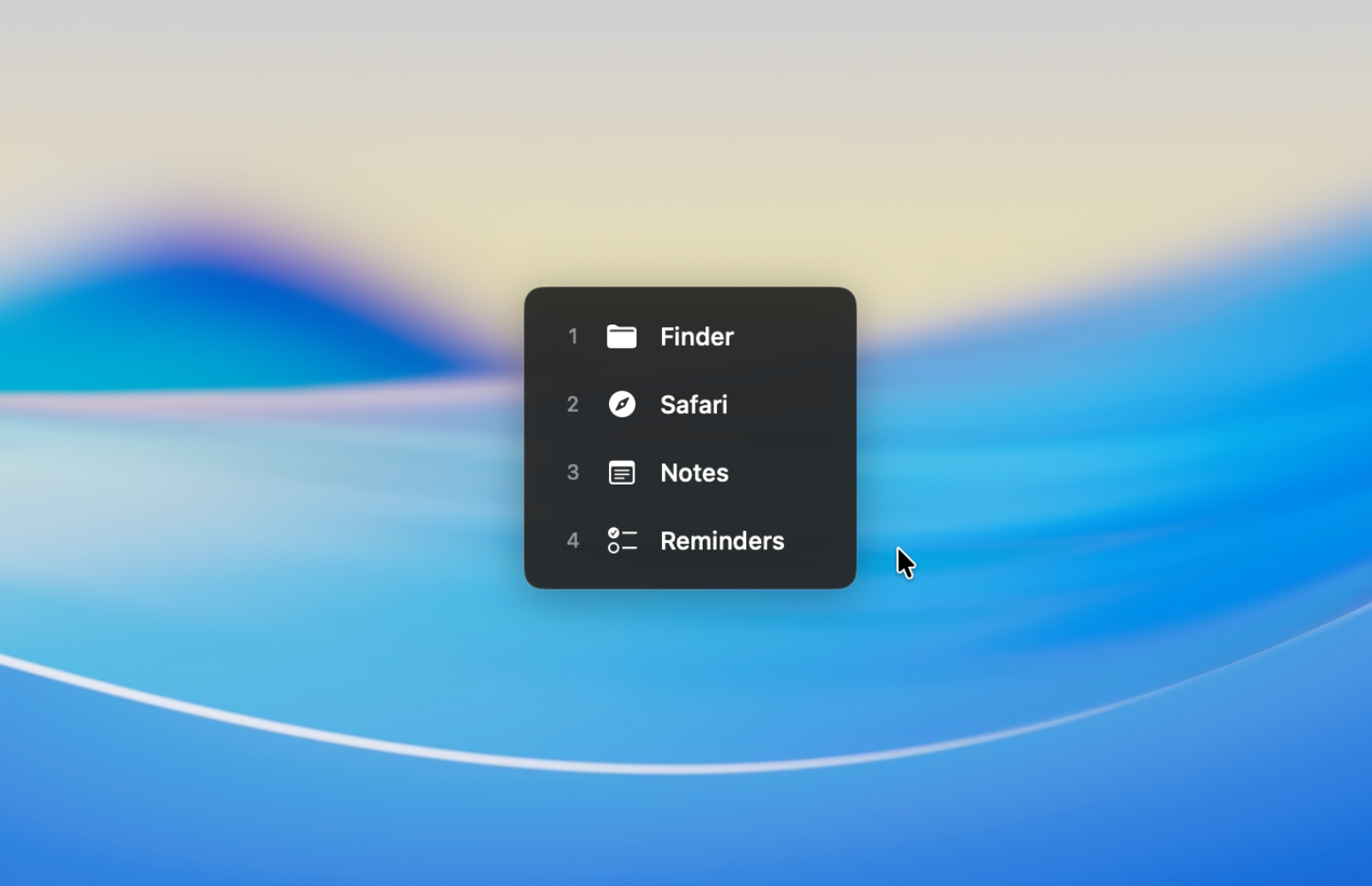
A vertical list of items that can also be invoked as a submenu. Well-suited for organizing a large number of items.
Basic Operation
Here's the flow using the default operation mode.
- Press the hotkey to display the menu
- Move the mouse to highlight an item
- Click to execute
More Ways to Operate
Release to Select
Hold the hotkey, move the mouse to highlight the desired item, then release the key to execute. No click required, making it the fastest way to operate.
TIP
Press, point, release -- once you build the muscle memory, it becomes nearly reflexive.
Consecutive Selection
Keep the hotkey held down and the menu stays open after each click, letting you execute actions repeatedly. Useful for incremental volume adjustments or fine-tuning window positions.
Direct Selection with Number Keys
While the menu is open, press a number key to select an item directly -- no mouse movement needed.
- Radial Menu: Numpad layout (1--4, 6--9) maps to directional positions
- List Menu: Sequential 1--8 from top to bottom
TIP
Radial Menu number keys match the physical numpad layout. For example, 8 is up, 2 is down, 4 is left, and 6 is right.
Operation Modes and Activation
Each hotkey can use a different operation mode. The default is Release or Click.
| Mode | Behavior | Notes |
|---|---|---|
| Release or Click | Execute on key release or click | Default setting. Best for Radial Menus. |
| Click | Execute on click only | Prevents accidental activation on List Menus. |
| Toggle | Click to execute; menu stays open | Run multiple actions in a row. |
You can trigger menus from keyboard shortcuts, mouse buttons, or function keys.
See Hotkeys for details.